

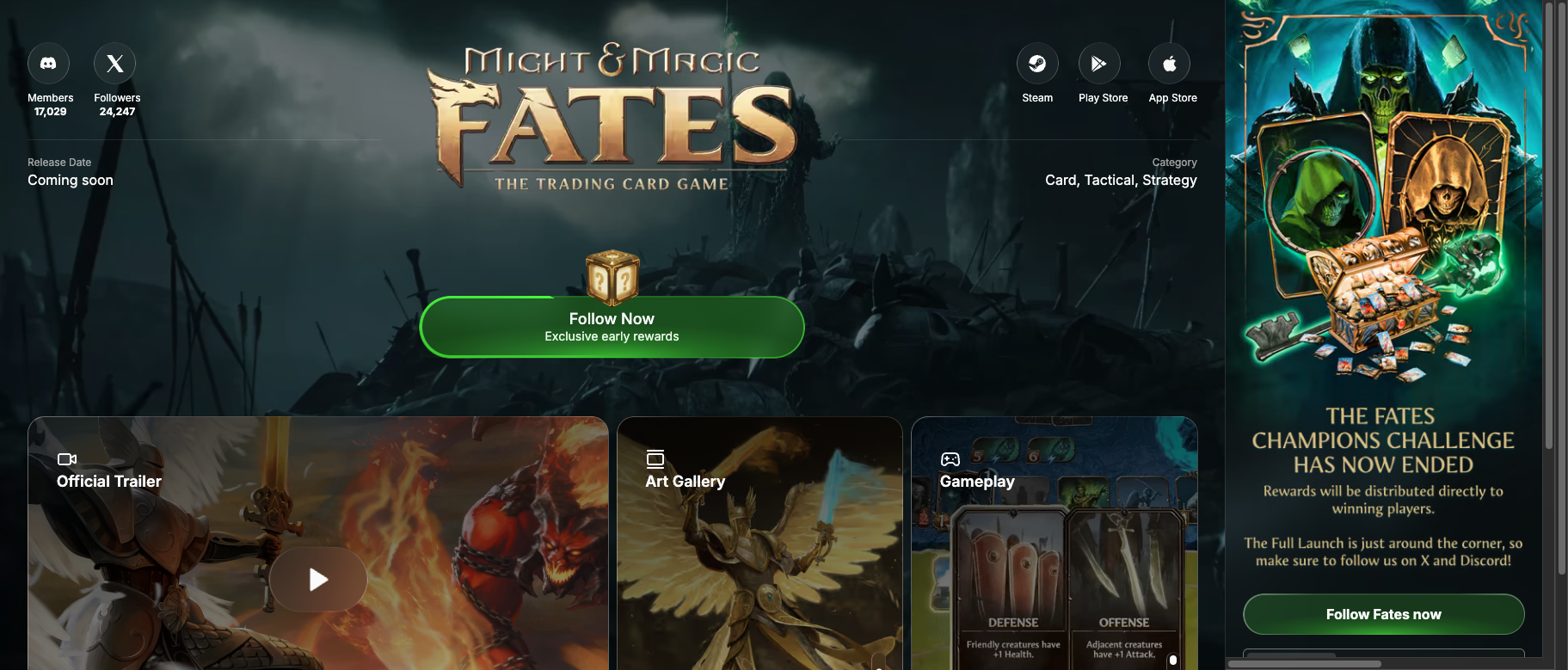
Example: Might & Magic: Fates
See a live Game Page in action
Why Use a Game Page?
Traditional pre-launch destinations (Steam store page, Discord server, your website) leave users anonymous, cold, and uncontactable. Your Game Page solves this:Features
Tiered Rewards
Reward players for following, engaging, and referring friends. Each tier unlocks exclusive content.
Quest System
Keep players engaged with social tasks, referrals, and community challenges. See Questing.
Leaderboards
Gamify your waitlist with competitive rankings and exclusive rewards for top fans.
Channel Integration
Connect your Discord, Twitter, Telegram—reach players wherever they are.
How It Works
1
Drive Traffic
Send all your marketing traffic to your Game Page instead of Steam or your website
2
Capture & Engage
Players create accounts, complete quests, earn rewards, and climb leaderboards
3
Build Profiles
We build rich player profiles using linked accounts, activity, and behavior
4
Multiply Your Audience
Referral mechanics, retargeting, and multi-channel engagement grow your base
5
Launch Hot
Convert engaged, contactable players into Day 1 active users
Reward Tiers
Structure your pre-launch community with progressive rewards:Page Components
Your Game Page includes:Hero Section
- Game logo and branding
- Trailer embed
- Release date countdown
- Platform availability (Steam, App Store, Play Store)
Art Gallery
- Showcase concept art, screenshots, and promotional images
- Auto-rotating gallery with full-screen view
Community Section
- Live fan counter
- Reward tier progress
- Quest completion status
- Leaderboard rankings
Profile System
- Player usernames displayed on leaderboards
- Gem-based customization
- Cross-game identity on Immutable Play
Acquisition Multiplier
For every user you’d normally acquire to a wishlist, your Game Page multiplies your actual reach:- Funnel optimization: Higher conversion from click to signup
- Referral mechanics: Each user brings friends
- Retargeting: Re-engage users who go cold
- Multi-channel: Connect across Discord, email, Telegram
Customization
- Self-Service
- Managed
Configure your page through Hub:
- Upload branding and assets
- Set reward tiers and quests
- Connect social channels
- Customize colors and layout
Analytics
Track your pre-launch performance:Get Started
Create Game Page
Set up your pre-launch homepage in Hub
View Examples
Browse live Game Pages on Immutable Play
Game Pages are available to all partners building on Immutable. Best-practice templates run on autopilot, or customize every element.
Next Steps
Questing
Set up quests for your Game Page
Engagement
Configure lifecycle marketing campaigns