

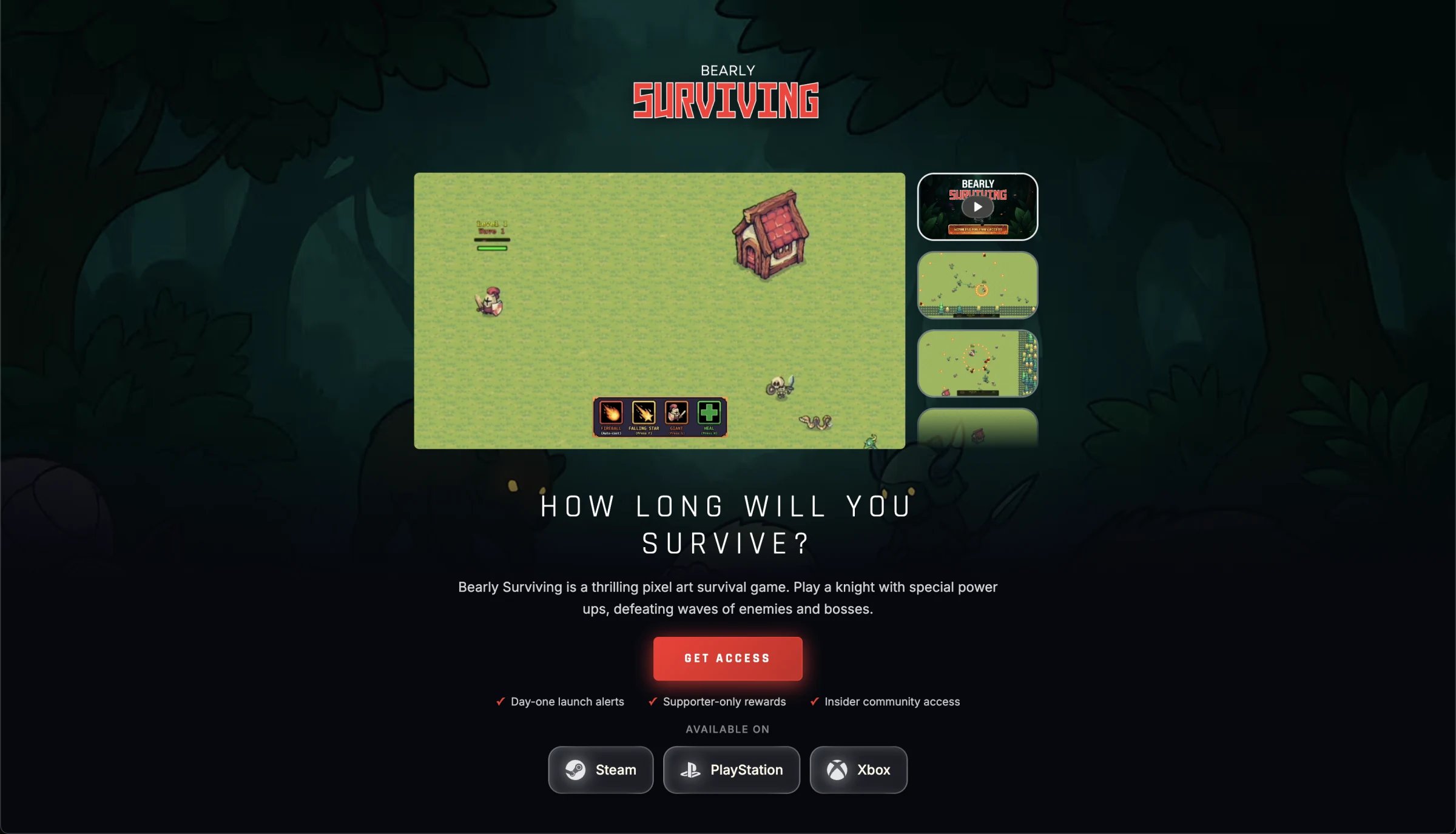
Example: Bearly Surviving
See a live Funnel Page in action
How it fits
Funnel Page traffic needs no separate marketing-site pixel. You can also serve the page from your own domain, or embed just the sign-up drawer on your existing site. To measure your own site or game client, add SDKs via Attribution / Ingestion.
Why use one (especially with Steam)
Keep the Steam wishlist CTA. Add the Funnel Page so paid and organic traffic also create an owned profile.
How it works
1
Drive traffic
Send paid and organic traffic to your Funnel Page instead of only Steam or your site
2
Capture and engage
Players create accounts and link their social channels
3
Unify in the CDP
Linked accounts and activity become Audience profiles
4
Grow the base
Multi-channel engagement expands reach
5
Launch warm
Convert engaged players into Day 1 actives
Features
Channel links
Connect Discord, X, Telegram, and more
Embed anywhere
Drop the sign-up drawer directly onto your own marketing site
Auto-attribution
Signups and links ingest into Audience CDP with no extra pixel
Page components
- Hero — Branding, trailer, countdown, platform availability
- Art gallery — Screenshots and concept art
- Community — Fan count and community activity
Acquisition multiplier
Setup
Configure everything in Hub — branding, content, and social channels — with no engineering work and no release cycle to wait for. If you run Google Ads, add a Google Tag ID on the Funnel Page so sign-ups (Email Captured) are reported bygtag. Do not map that goal to Google Ads postbacks. Postbacks should not be used for website events like Funnel Page sign-up.
The template is deliberately opinionated. It is tuned for one job, turning a visitor into a contactable signup, so you control the content and the branding rather than the layout. If that shape doesn’t fit the campaign you have in mind, use your own website instead and embed the sign-up drawer into a page you design yourself.
Editing is self-serve end to end:
- Save Draft — work on changes without touching the live page, and use Live preview to see them as players will
- Publish — push the draft live when you’re ready, or unpublish the page again
- Schedule publish — pick a date and time instead, so a trailer drop or store-page beat goes out on cue rather than someone staying up for it. A pending schedule can be cancelled any time before it fires
- Version history — a record of every published version, so you can see exactly what changed and when
Create Funnel Page
Set up your page in Hub
Hosting options
Host on your domain
Serve the page from your own domain instead of
play.immutable.comUse your own website
Put the sign-up drawer on your existing marketing site
Pre-launch metrics
Deeper cohort and quality views live in Audience Analytics. Source performance lives in Attribution.
Next steps
Attribution
Measure campaigns that drive Funnel Page traffic
Ingestion
How Funnel Page data enters the CDP
Engage
Nurture Funnel Page signups